

Authenticating your device
Make sure the SDK is installed before authenticating; see the Python SDK installation guide. In Python, run: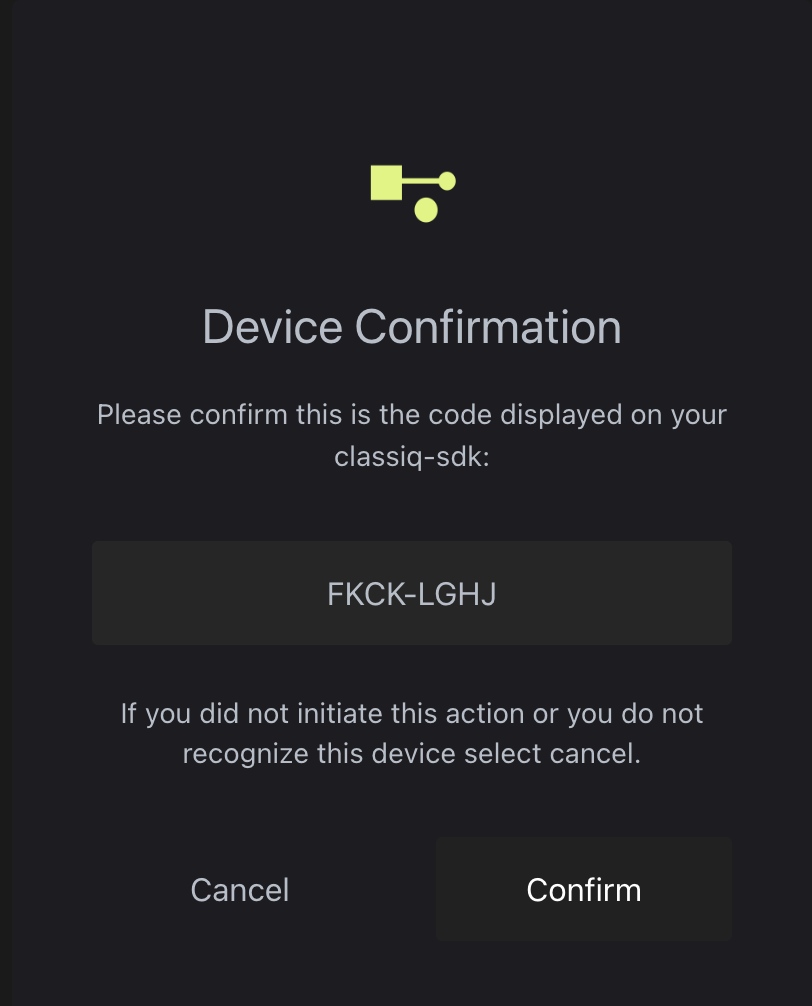
Re-authenticating
To replace cached credentials, for example after they expire or when switching accounts, overwrite them:Troubleshooting
Device is not authenticated
Device is not authenticated
Overwrite the cached credentials and authenticate again, as described in Re-authenticating.
Auth0 error code 403: access denied
Auth0 error code 403: access denied
This error means your authentication credentials were denied. Overwrite them as described in Re-authenticating.
Authentication on headless Linux systems
Authentication on headless Linux systems
The authentication procedure on headless Linux systems stores the tokens locally in a credentials file. You must still run the authentication once, but it can be done on another system that has a browser, then the credentials file copied over.
Confidential information pop-up on Apple computers
Confidential information pop-up on Apple computers
On some Apple computers, a system pop-up may appear during authentication: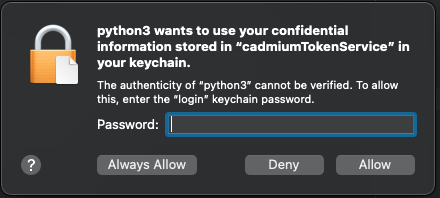 Type your device password and click Always Allow twice.
CredWrite error 1783 on Windows
CredWrite error 1783 on Windows
On some Windows machines, authentication fails with:The error comes from Windows Credential Manager, which the SDK uses by default to store your credentials. To work around it, switch Python to a file-based credential store:
-
Install the alternative keyring backend in the Python environment you use for Classiq:
-
At the start of your script or notebook, before importing Classiq, set the file-based keyring:
The output should contain
keyrings.alt.file.PlaintextKeyring. -
Import Classiq and authenticate as usual: